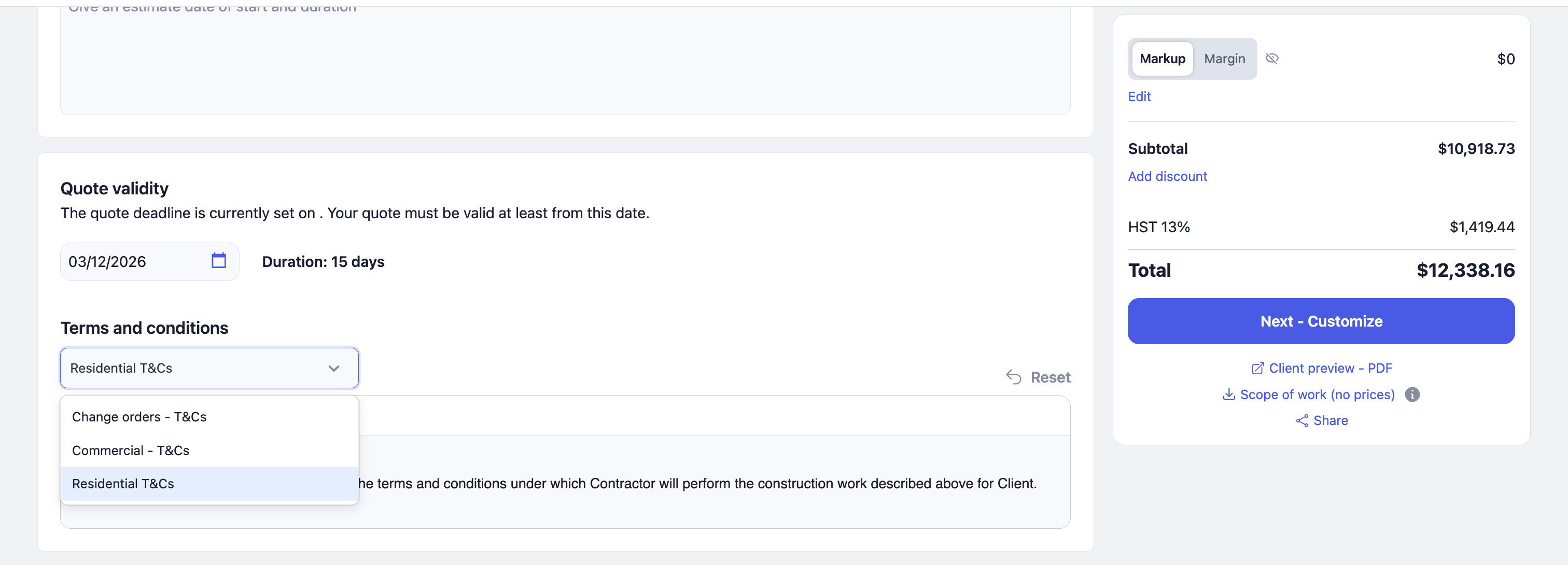
Multiple Terms and Conditions Templates

Previously, we only had one Terms and Conditions template, which was prepopulated on your quotes and change orders. This made it difficult to use different terms for each project or change order, as editing the template was cumbersome.
Now, you can create multiple versions of your Terms and Conditions and select the appropriate one for each quote or change order!
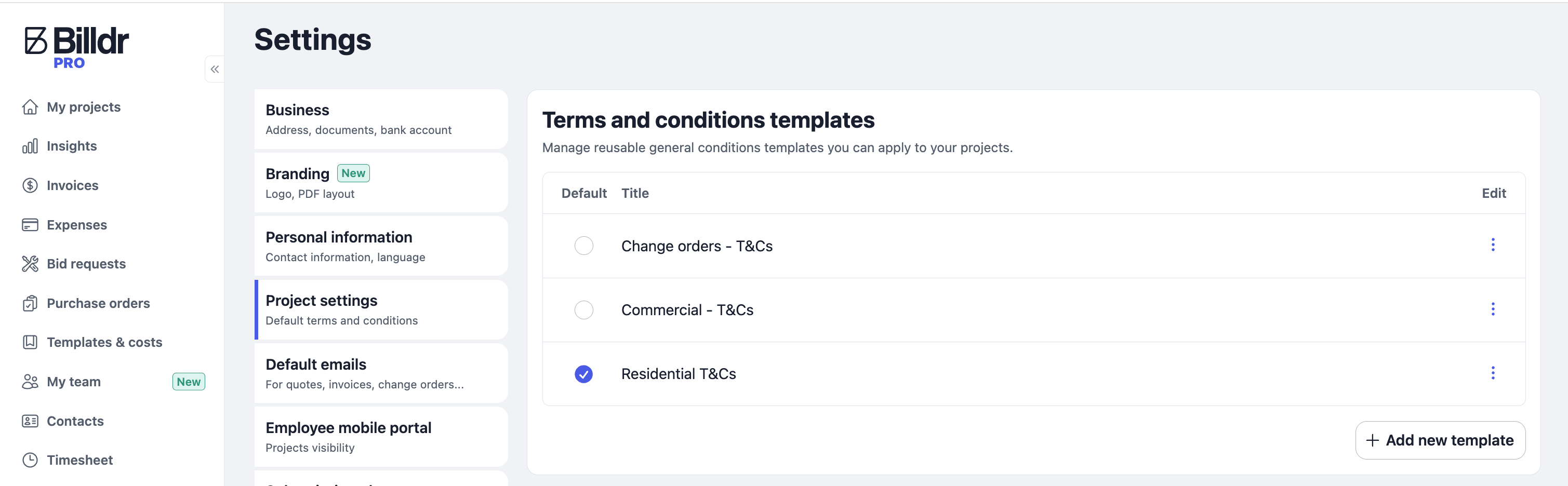
To create multiple versions of your T&Cs:
Go to Settings > Project Settings.
Click Add new template.
In your document, like a quote, you will then be able to select which terms and conditions you would like to load.