Permissions: Control who can access what

We are excited to introduce a new role within your Billdr account: Project Managers.
Admins can control which projects users with the Project Manager role can access and view.
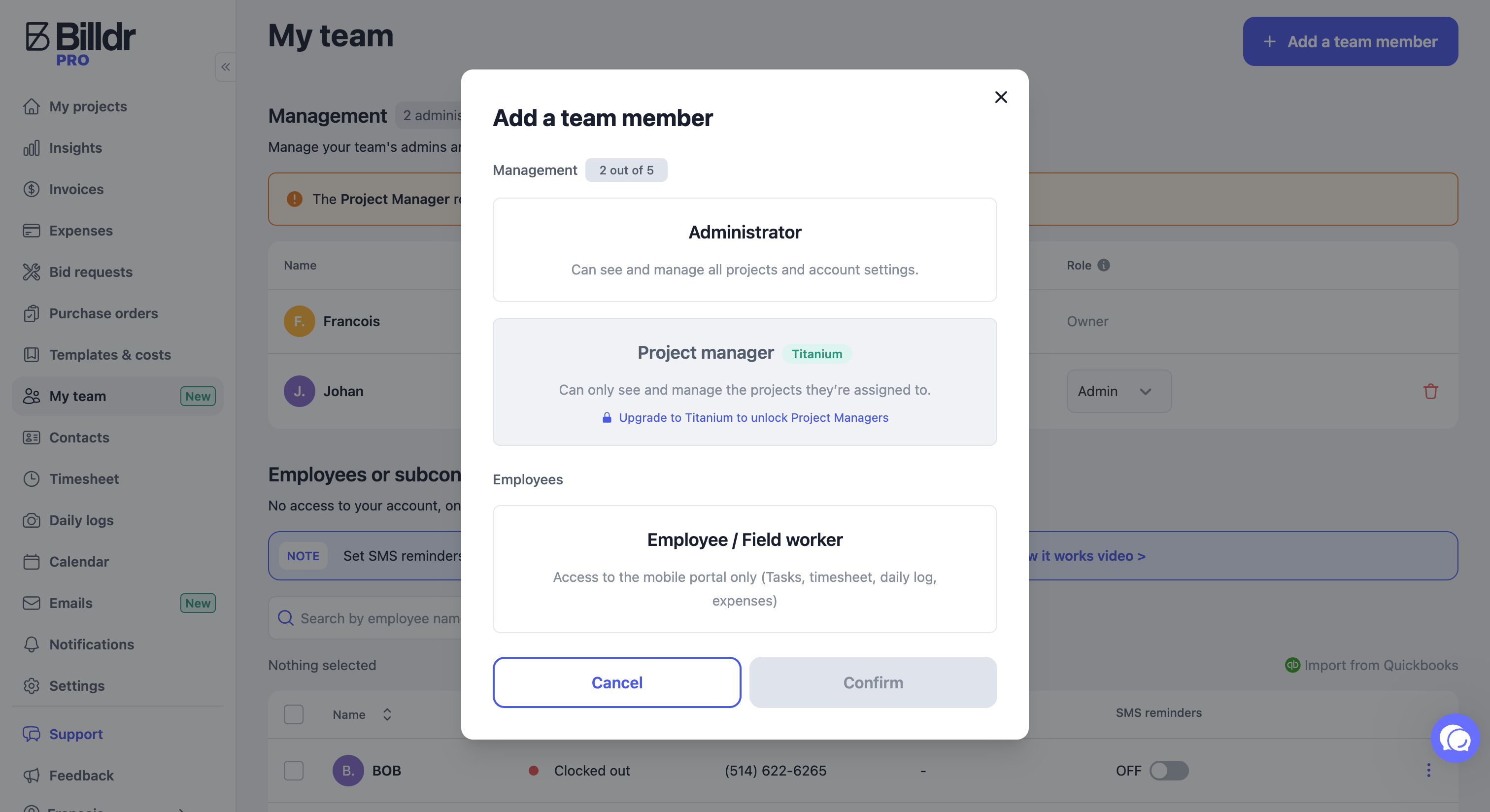
How to add a Project Manager?
Navigate to the My Team page.
Add a new member.
Select Project Manager as the role.
How to assign a project manager to a project?
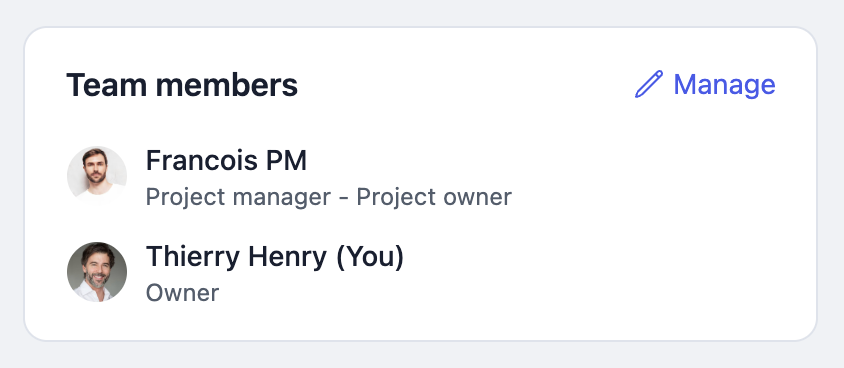
Go to an existing project or create a new one.
In the Summary tab, find Team Members.
Click Manage.
Select Add a Team Member.
Note: Project Managers can also create projects directly themselves.
What can Project Managers view and access? 👀
Project Managers can see:
Only the projects they have been assigned to
Projects they have created
All information within those projects only.
✔️ They cannot see other projects or any information related to them
✔️ They won’t receive any notifications for projects they are not assigned to
Even on global pages, such as invoices, projects will be filtered to show only the ones they are assigned to. The Insights page is also hidden from them.
Why do I need to upgrade to Titanium to access this feature?
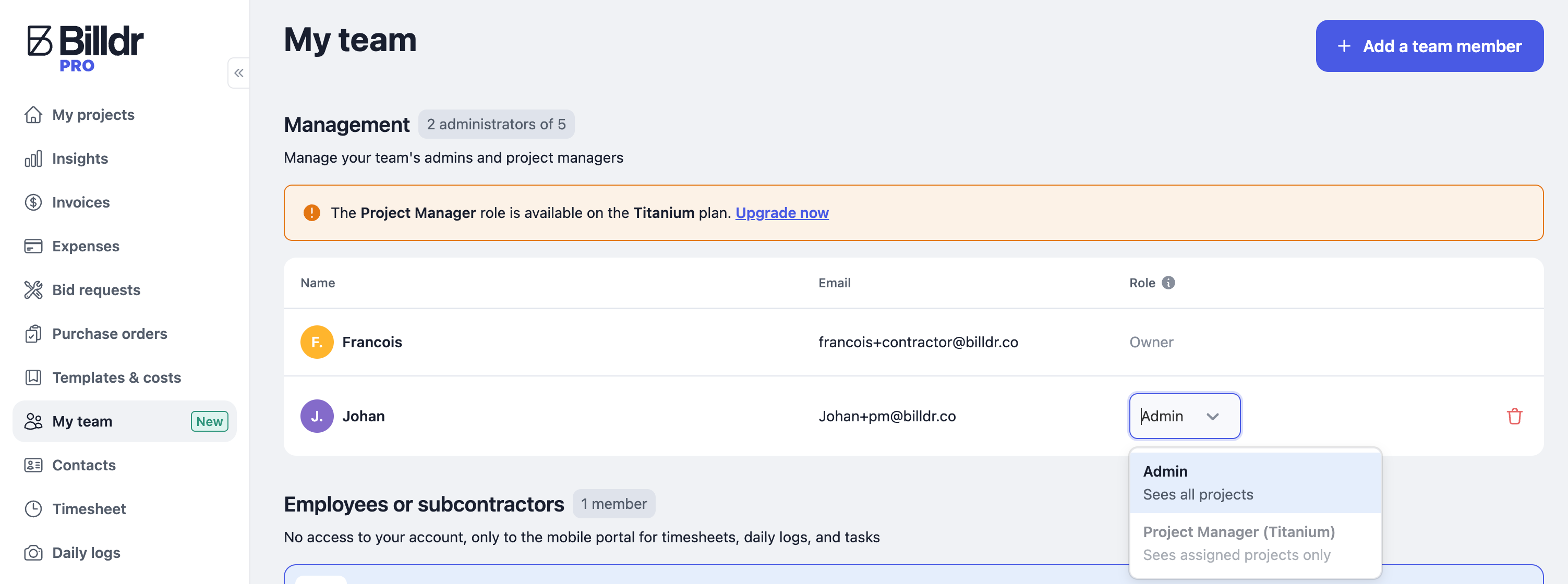
As outlined on our pricing page, the permissions with the Project Manager role is a new feature reserved for members on the Titanium plan.
To upgrade your subscription, please contact your Customer Success Representative at support@billdr.ai
To check which plan you’re on, go to the Subscription page.
💡 If you change your subscription in the middle of its current cycle, you can benefit from a prorated amount.
What’s Next with permissions?
We understand that you may want even more control over who can do what. Rest assured, we’re already working on it!
Thank you for your feedback, and stay tuned for more updates.
Other improvements
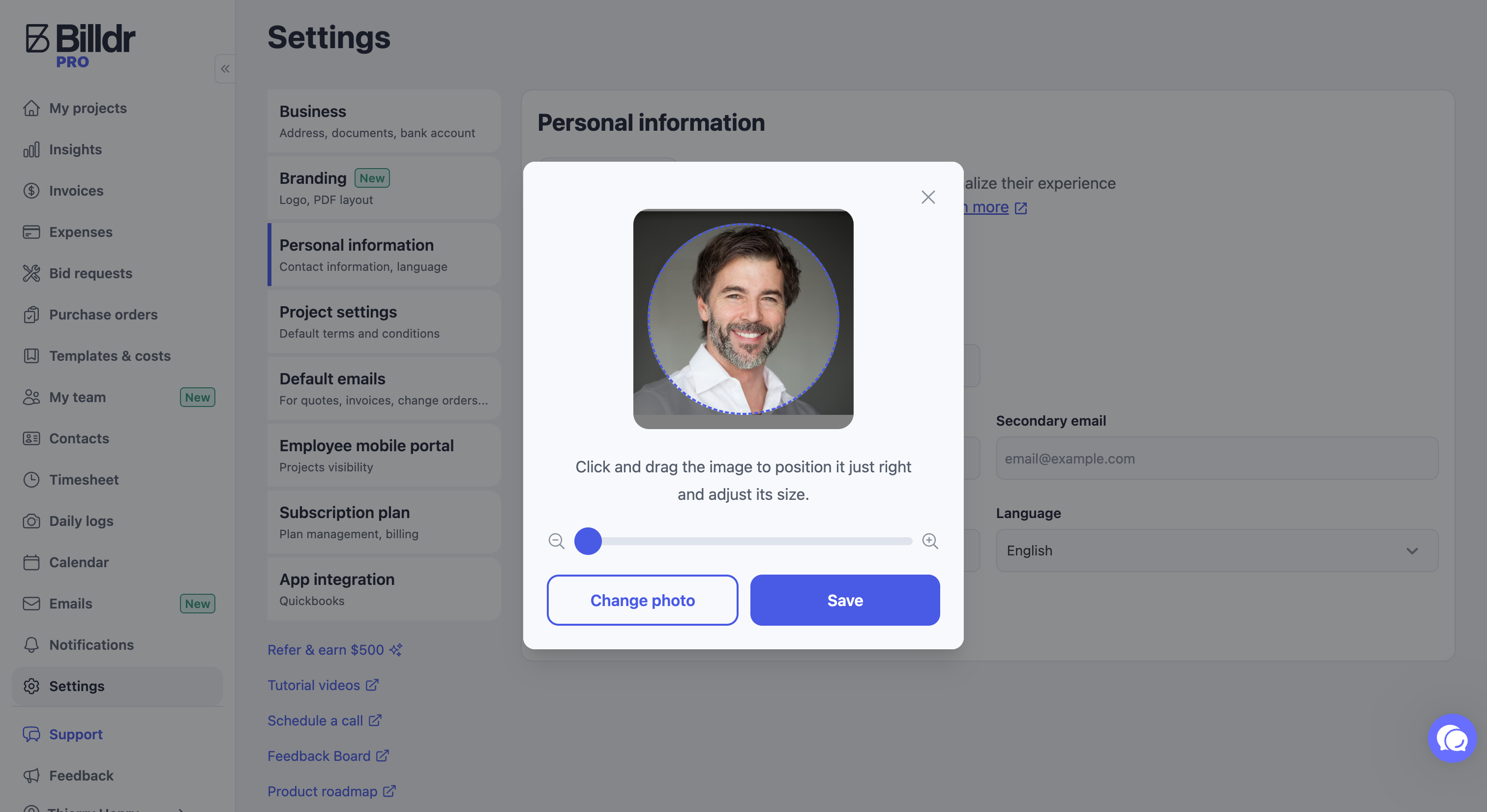
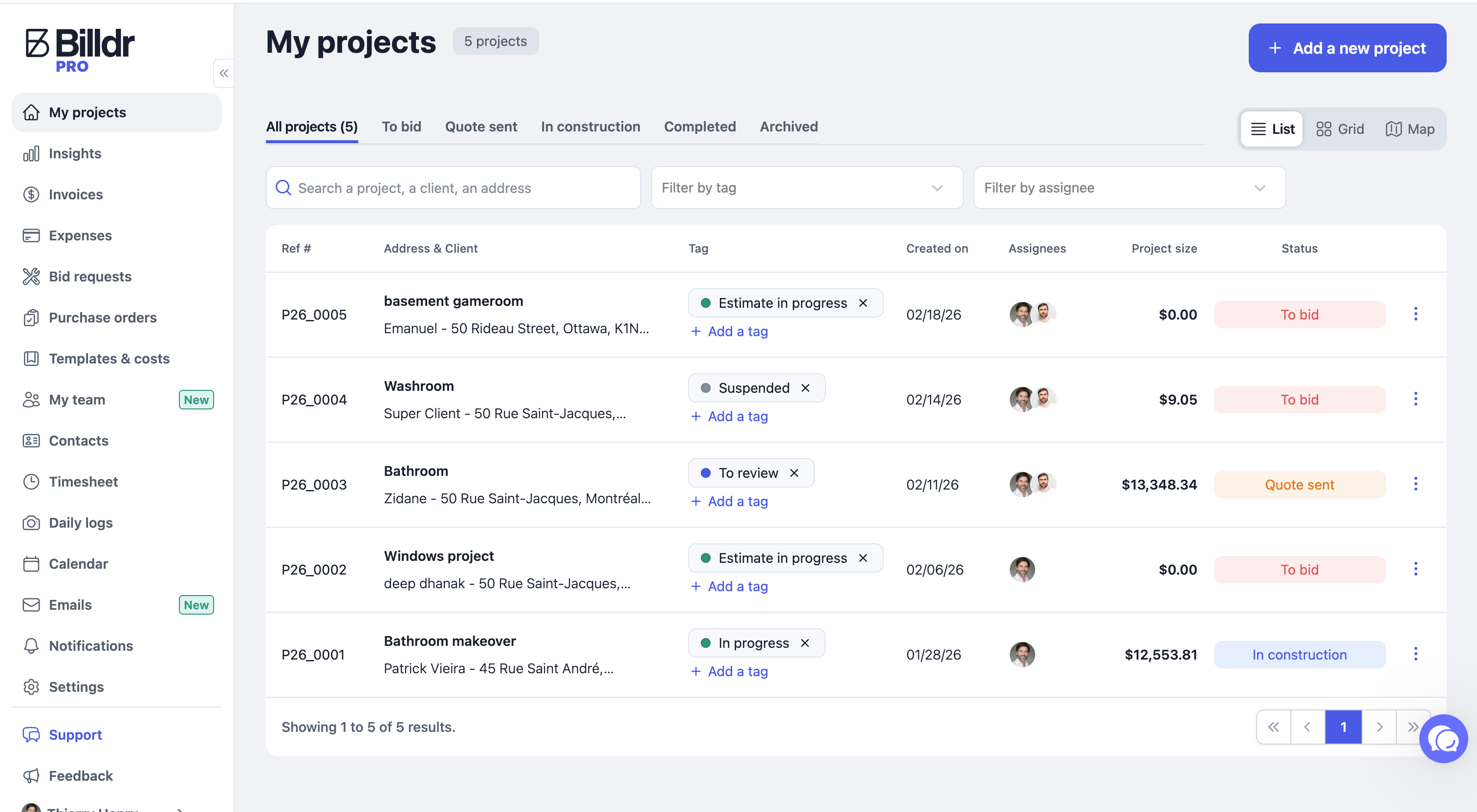
In your settings, you can add, resize, or recenter your profile picture. Your picture will be displayed in the project list so you can easily identify the assignees!
Stay tuned for more updates coming next week.