Improvements to Expenses and Invoices

Global Expense Page
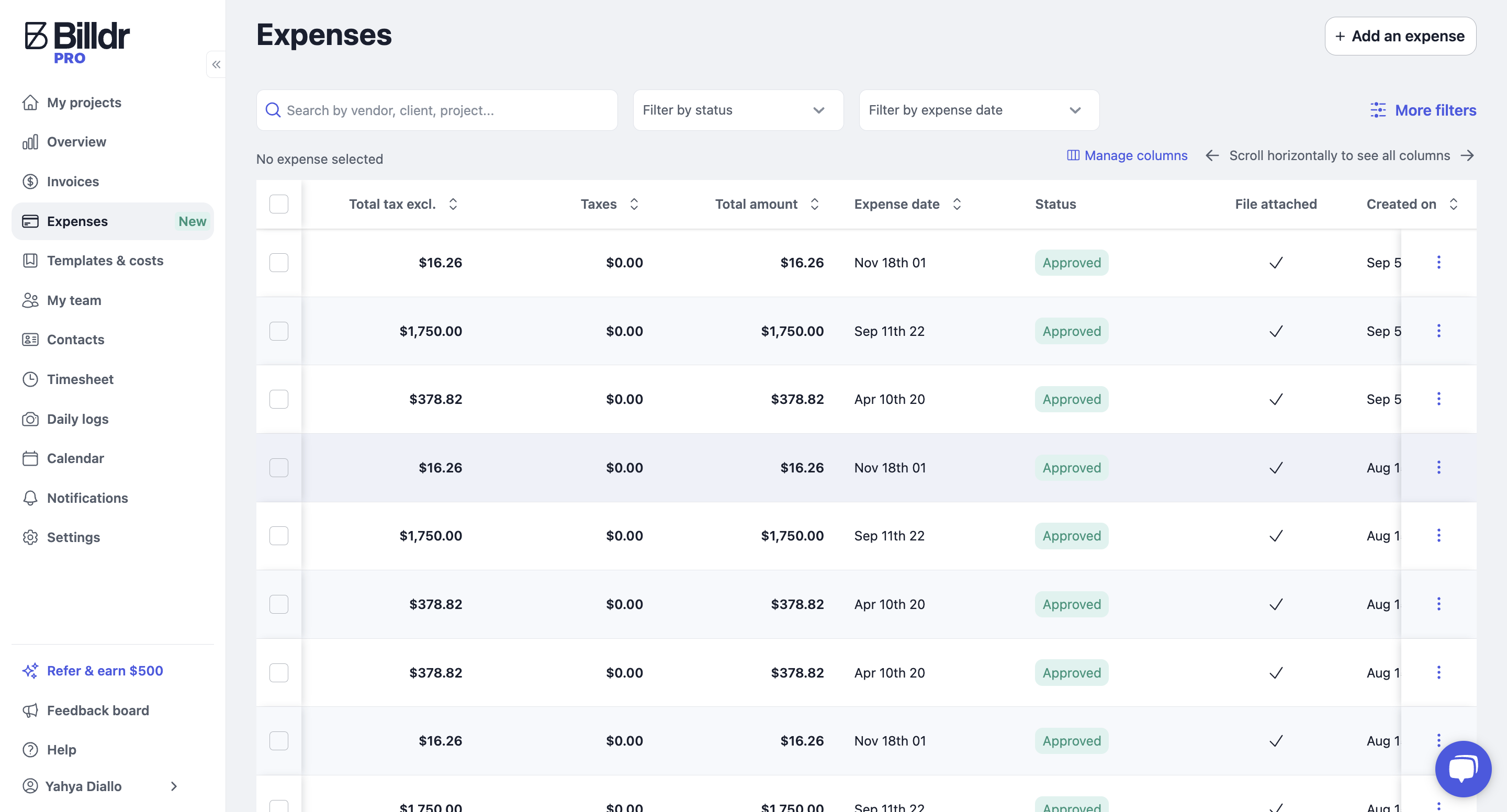
We have added a new Global Expense Page to the left-side menu, allowing for better expense management across all projects.
Key improvements:
View all expenses across all projects in one place.
Add new expenses more quickly.
Validate expenses submitted by employees.
Customize your table with advanced hide/show column options.
Add Expenses as an Employee
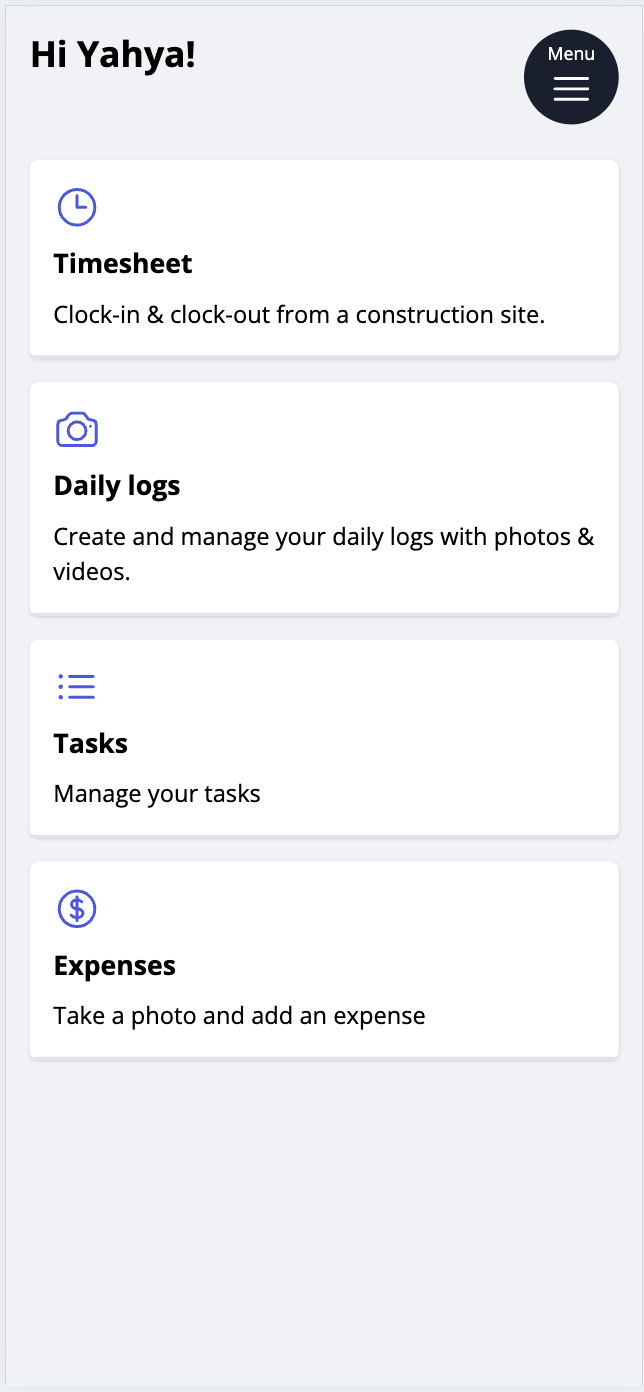
We have also introduced an expense upload feature on the employee mobile portal.
Field workers can capture and upload pictures of their receipts.
Expenses can be associated with specific projects (optional).
Global Invoice Page
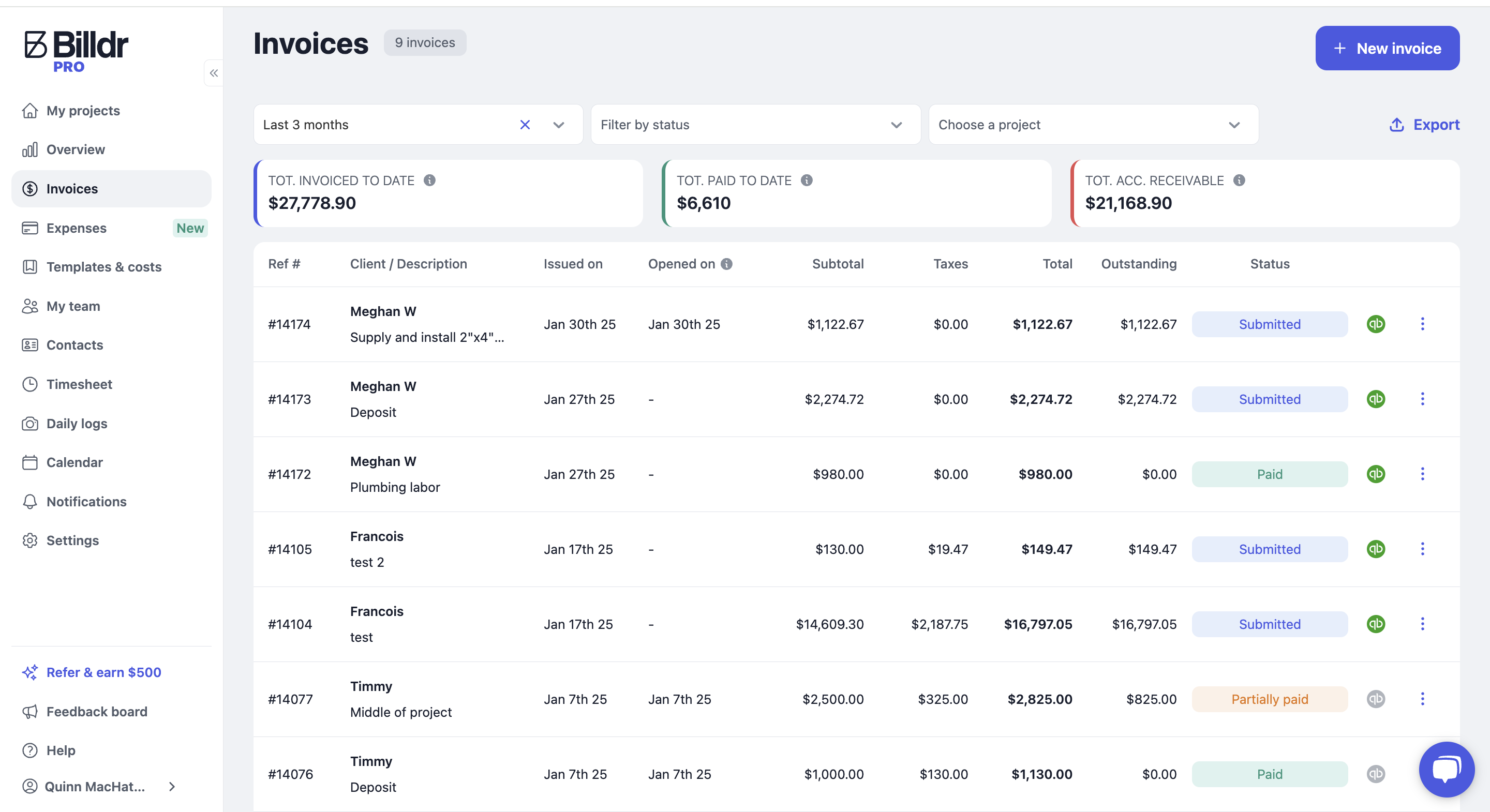
The existing Global Invoice Page has been improved with the following enhancements:
Filter invoices by date for better organization.
Export invoices.
View invoice open dates for better tracking.
Other Notable Updates
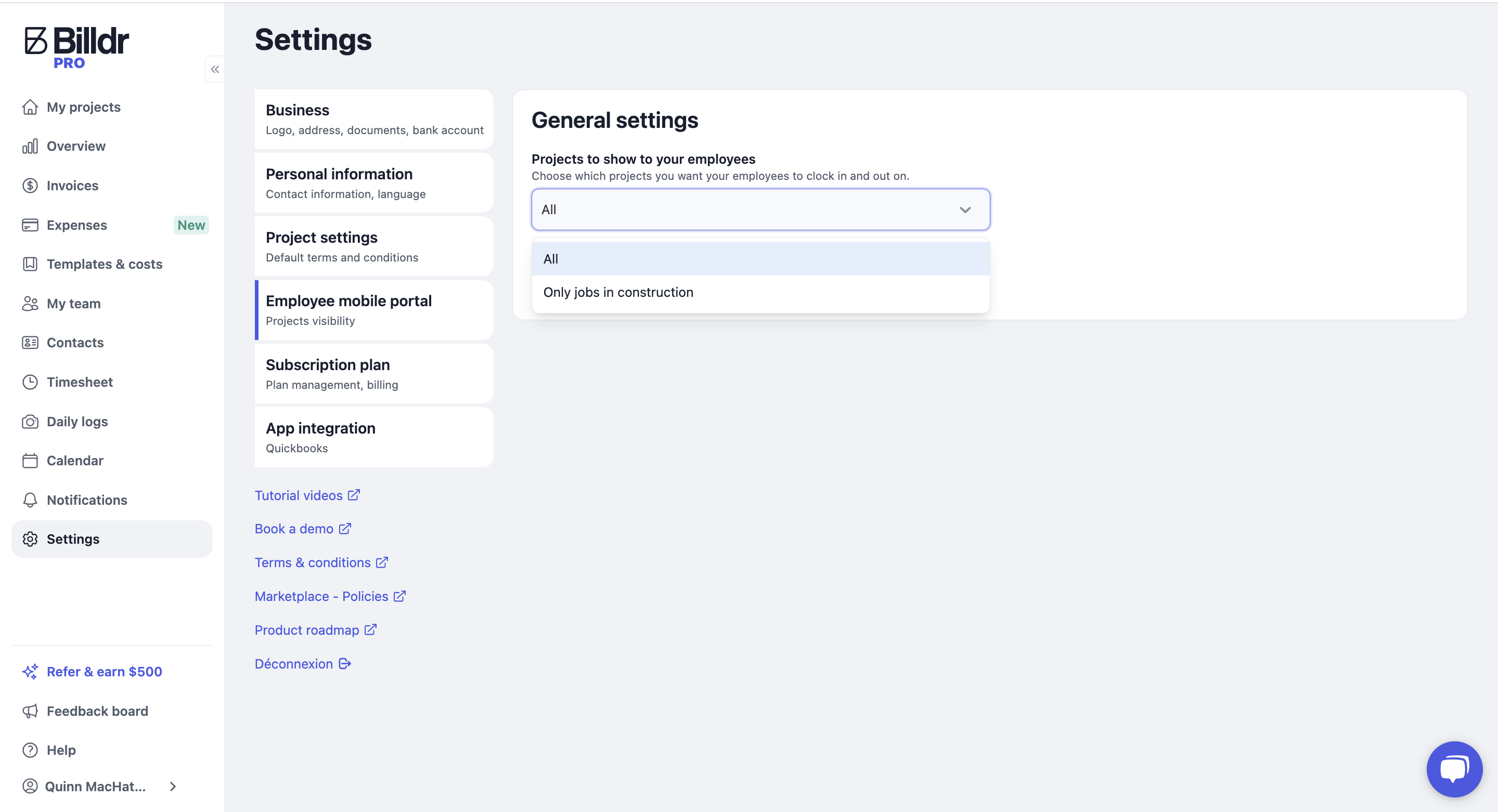
You can now hide projects under bid from employees in the settings, displaying only signed contracts.
The image banner on quotes can now be removed.