To-Dos Template, Scheduling Improvements, and Payment Receipt Email

TL;DR: We added a to-do template to help you work faster, improved scheduling, and introduced the ability to send payment receipts by email.
To-Dos Template
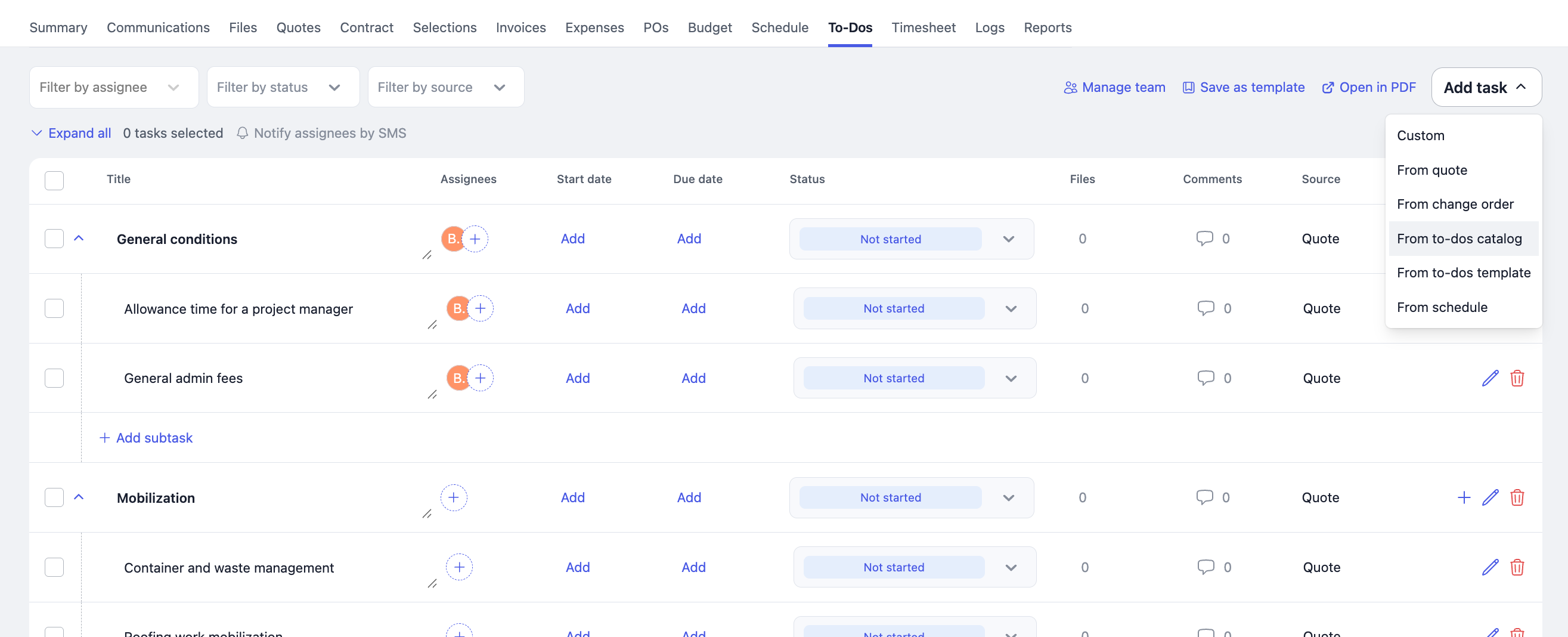
Introducing a To-Do Catalog (a list of independent tasks) and To-Do Templates (groups of related tasks) to standardize task creation and reuse across projects.
You can assign default assignees to tasks, save them to your catalog (with or without assignees), and create templates or reuse tasks directly in your projects. We also added the ability to display the user who completed a task.
How to create a To-Do Catalog / Template
Option 1 — From Templates
Navigate to Templates & Costs → To-Dos tab.
Option 2 — From an existing project
If you already have To-Dos in a project:
Go to Project → To-Dos → Click “Save as Template.”
Scheduling Improvements
1 - Locking Activities 🔒
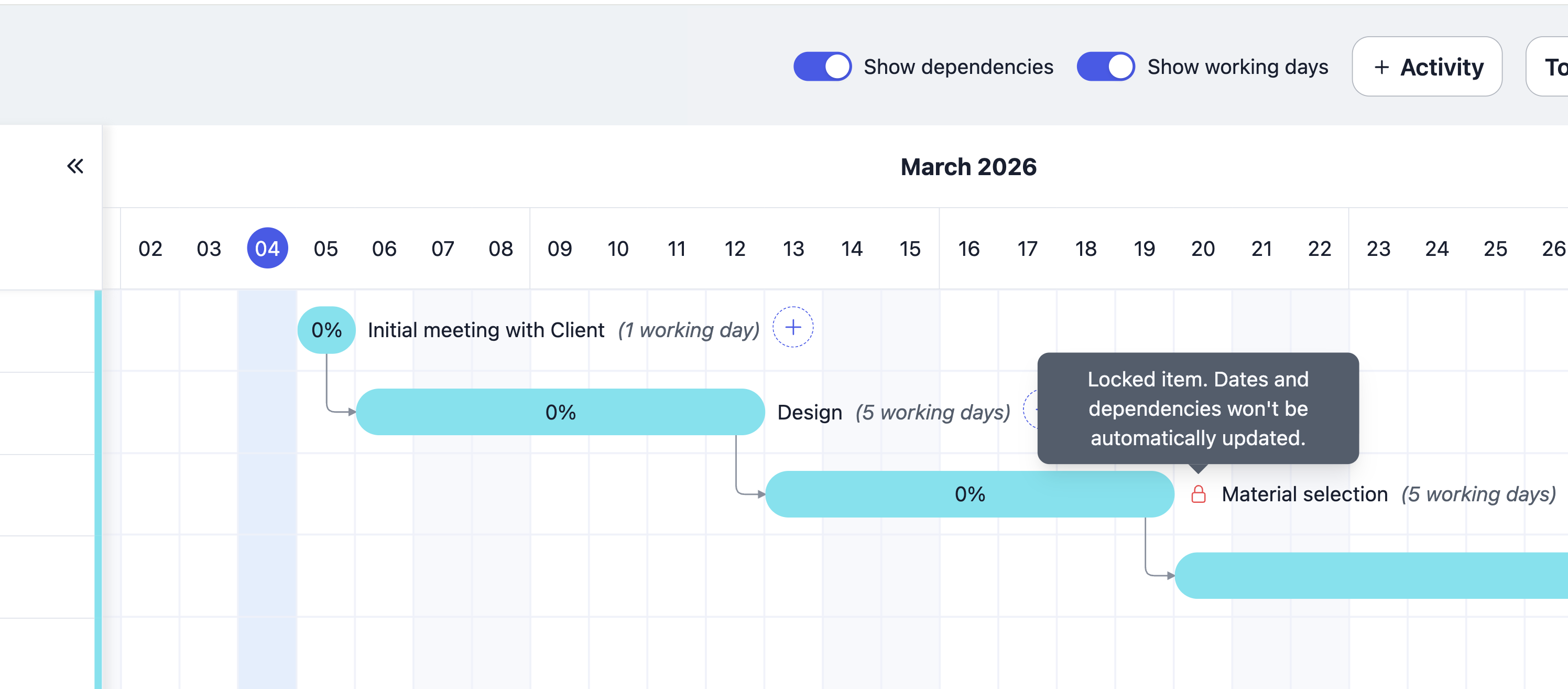
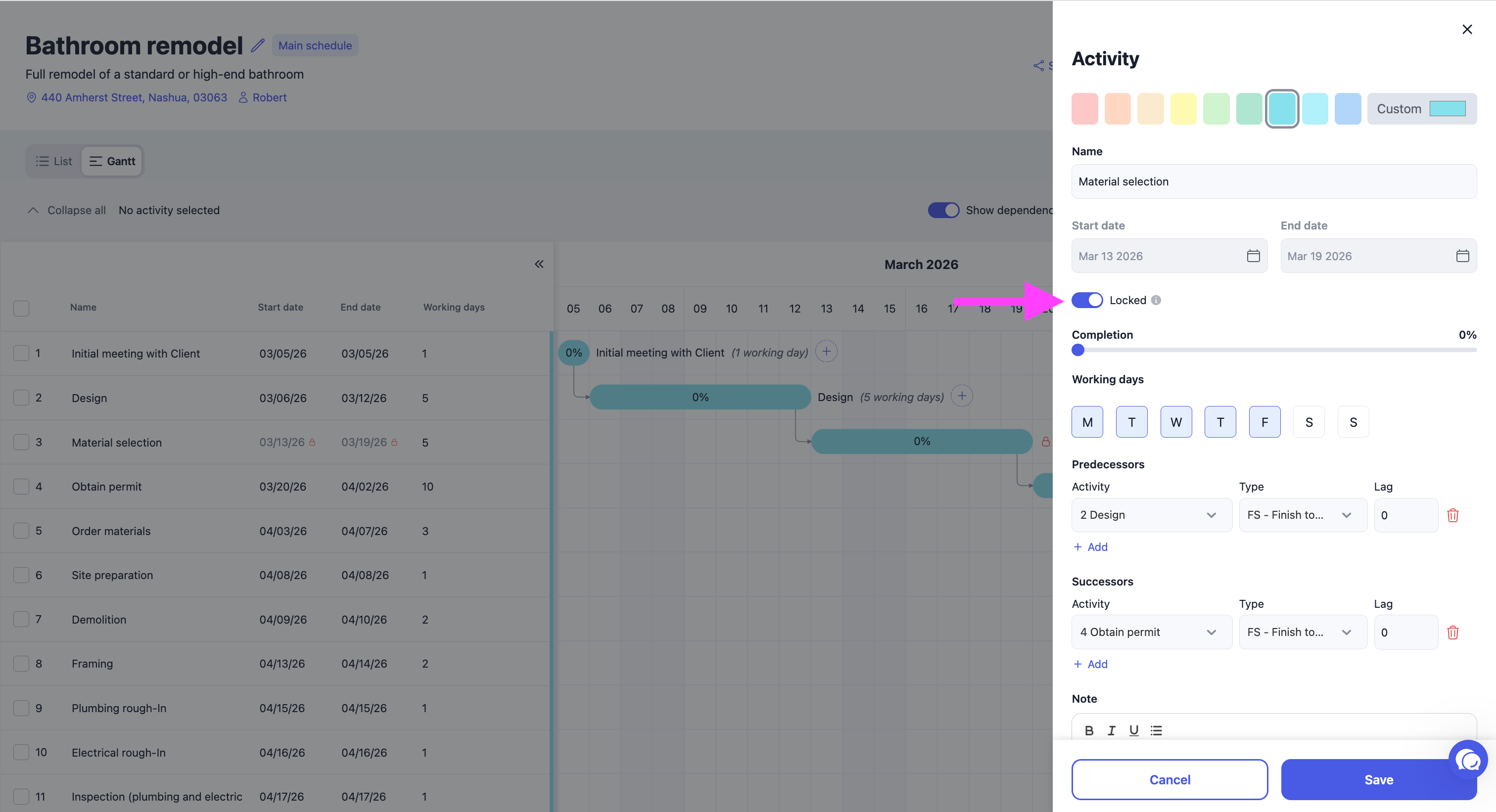
Previously, activities that were linked with a predecessor or successor could move, even when you wanted them to stay on specific fixed dates. This was especially problematic when those activities were already completed (in the past), forcing you to remove the links to prevent them from shifting.
You can now lock activities to prevent them from moving.
2 - Remove all dependencies ⛓️💥
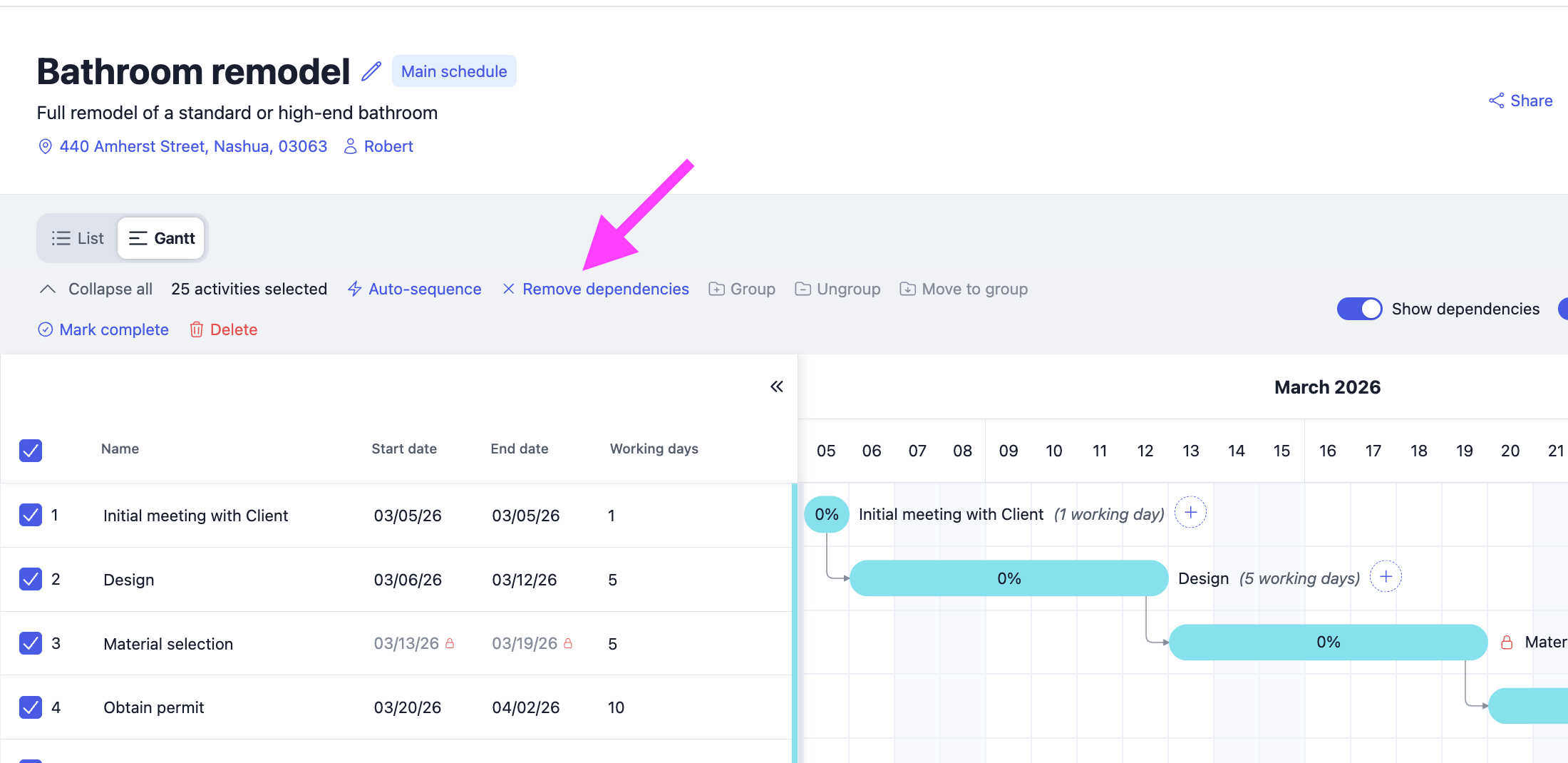
You can now remove all dependencies (e.g., Finish-to-Start) much faster.
3 - Keep existing dates with the auto-sequence
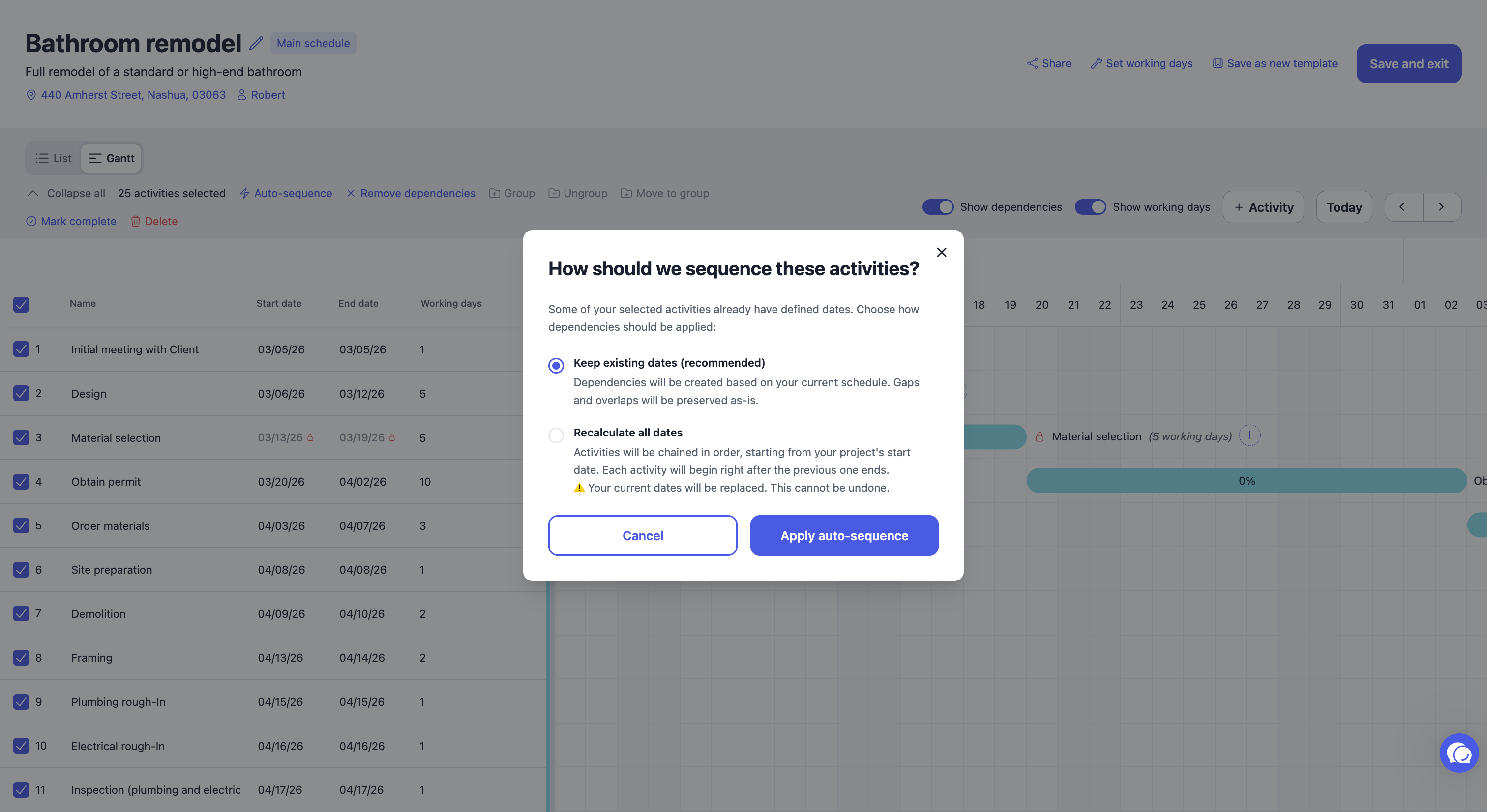
Before, when selecting multiple activities and using Auto-Sequence, the system created Start-to-Finish dependencies but did not properly handle existing dates. Lags were not calculated, which could disrupt the original schedule.
Now, you can preserve the dates already in place when auto-sequencing your schedule by selecting “Keep Existing Dates.”
Payment Receipt Email 📧
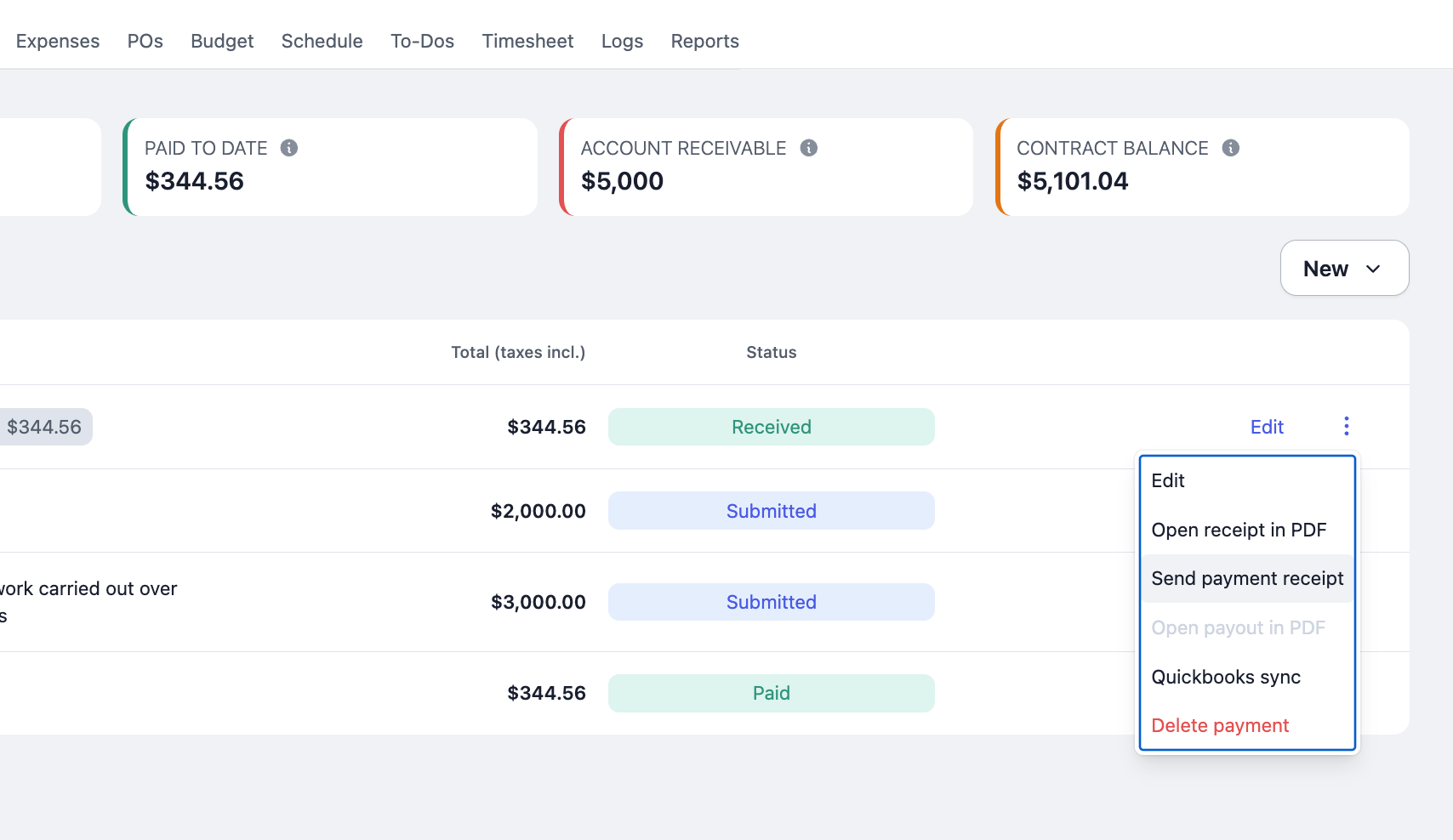
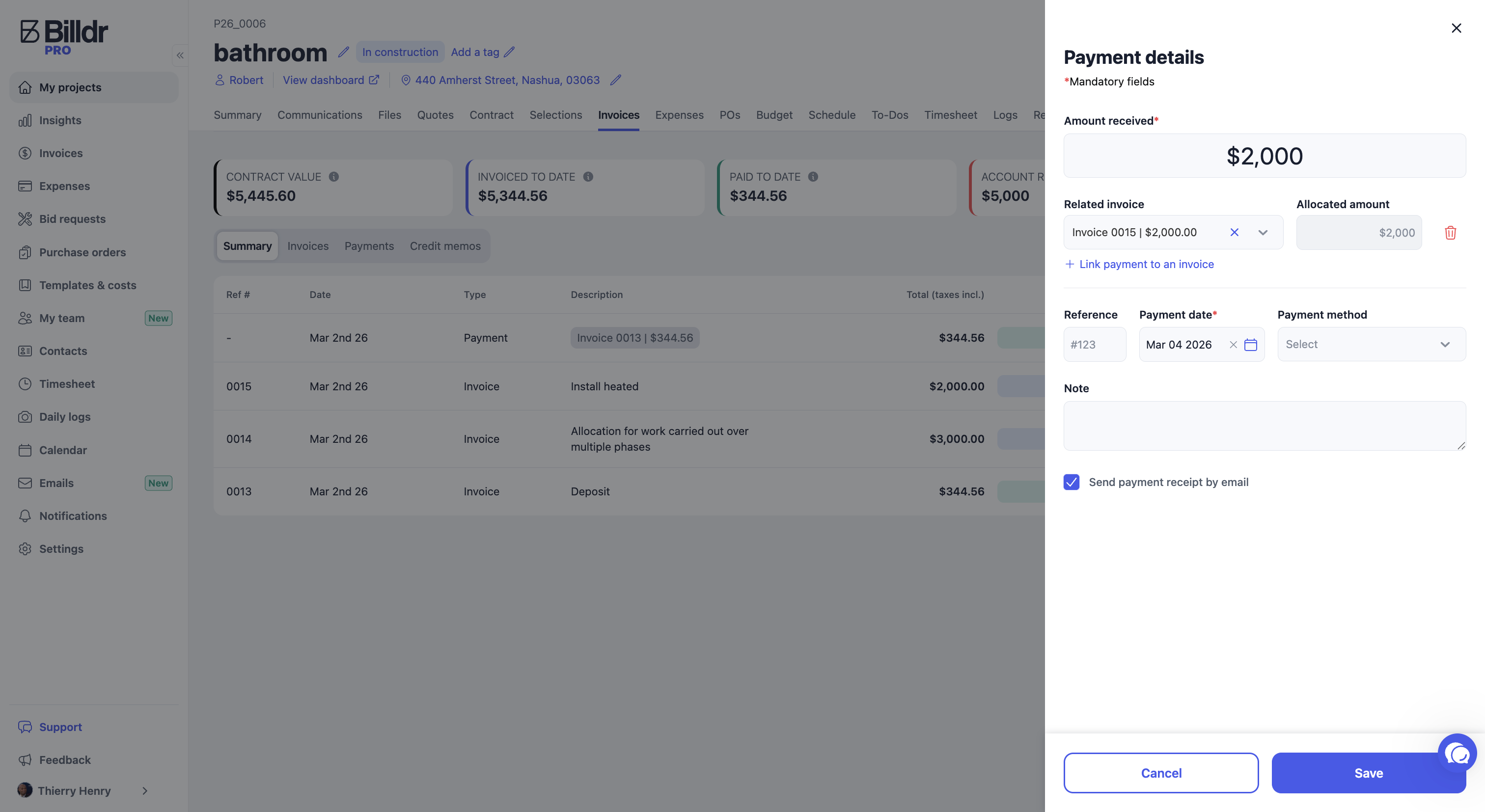
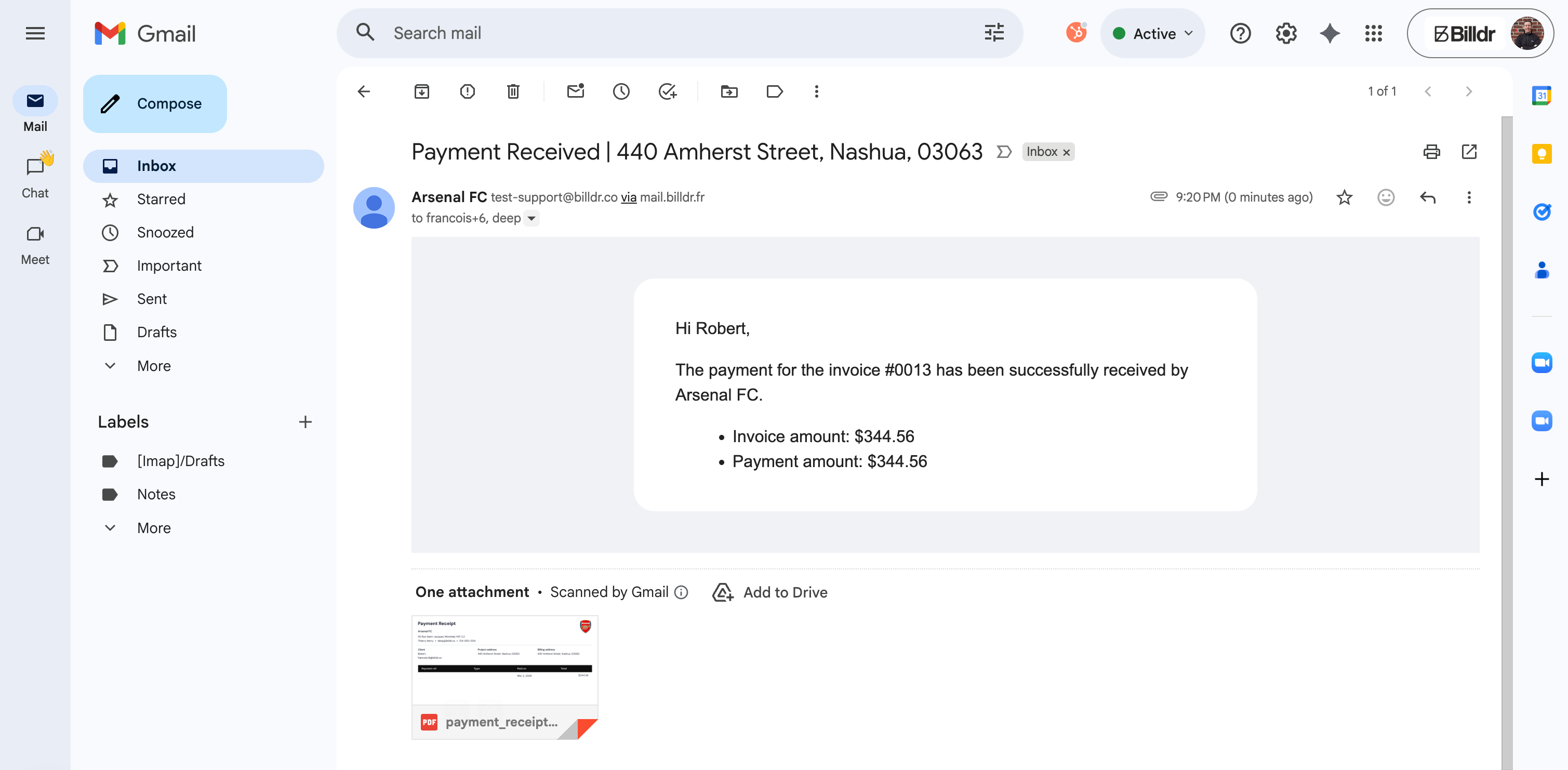
When recording a payment manually, you now have the option to send a payment receipt to your customer.
Thanks, as always, for your feedback! 🙏 We keep working hard to make your life easier.
Stay tuned for more updates.